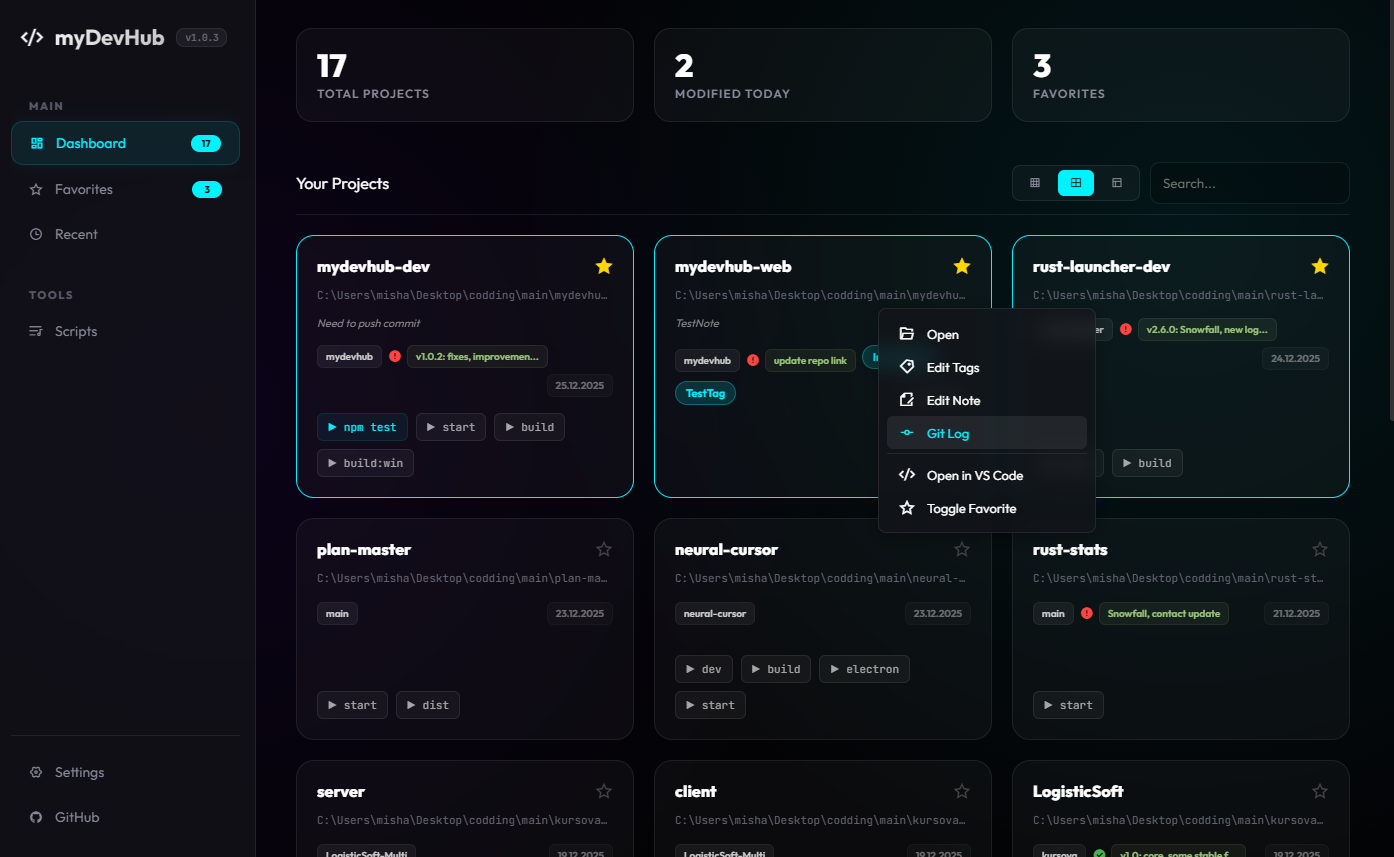
Forget console chaos. myDevHub automatically finds your projects, manages scripts, and monitors processes in one stylish interface.
Automatic background scanning finds all your projects with package.json, .git, and other markers instantly.
Run npm scripts with one click. Auto-detects scripts from package.json and supports custom commands.
View Git status, commit history, and repository state. Clean/Dirty indicators for every project.
Browse project files and open them in your preferred editor directly from the interface.
Organize projects with custom tags like "React", "Node.js", "In Progress" for better management.
Add short notes and descriptions to each project for quick reference and context.
Switch between compact, normal, and extended view modes to fit your workflow.
Right-click context menu for instant access to open editor, view Git log, toggle favorites.
Reorder projects by dragging cards to organize them exactly how you want.
Mark favorite projects and quickly access recently opened ones for faster navigation.
Support for VS Code, WebStorm, Sublime Text, and other editors with custom paths.
Automatic background scanning and caching for faster loading and real-time project updates.
Reduce context switching by 80%. All your projects and tools in one place.
No more hunting for project folders. Instant access to everything you need.
Execute scripts, check Git status, and open editors with a single click.
Fully supported with custom path configuration
JetBrains IDE integration
Lightweight editor support
Configure any editor path
Full Git integration with status tracking, commit history, and branch management
Direct integration with GitHub Desktop
GitLab repository integration
Integrated terminal for quick commands
Sync settings across devices
The project is completely free and open source.